Let’s get physical with Basic4Android

One of the libraries I wrote for Basic4Android is ABPhysicsEngine. This is a full 2D Newton engine. Games like ‘Angry Birds’ and ‘Cut the rope’ are made with similar engines. This one is very easy to use within B4A.

For this tutorial you must download version 1.1 of the library from the B4A forum!

Here is a little ‘anti-stress’ game I made with the library in B4A. You have to tap very fast anywhere on the screen and all kind of balls will appear and fall down on the two running Garfields. No winning or prices, but this is for learning purposes anyway.

Let’s get started with the tutorial…

Augmented Reality: Taking away the rainbow

For the Augmented Reality project, I’ll need to grayscale the image.

There are 3 types of grayscaling available in the class but the one I’ll need will be BT709. It turns out it gives the best results for searching glyphs.

It’s a simple conversion but already we have something to take into account when we use Java: the byte type. A byte in java has a value of -128 to 127 instead of 0 to 255. Therefor we will need to do & 0xFF when we return the grayscaled bitmap.

I’ll have to remember this for future calculations on the imageData array!

Here is the class. De imageData is kept in memory as I’ll need those pixels anyway to do the next step: Edge detection!

// Copyright © Alain Bailleul, Alwaysbusy's Corner 2011
//
// Grayscale type values from:
//
// AForge Image Processing Library
// AForge.NET framework
// http://www.aforgenet.com/framework/

import android.graphics.Bitmap;
import android.graphics.Color;

public static class ABImage
{
    //data that will contain the grayscaled pixels
    public byte[] imageData;
    public int width=0;
    public int height=0;
    private double RedCoefficient;
    private double GreenCoefficient;
    private double BlueCoefficient;

    //3 types of grayscaling
    public void SetGrayscaleBT709() {
        RedCoefficient   = 0.2125;
        GreenCoefficient = 0.7154;
        BlueCoefficient  = 0.0721;
    }

    public void SetGrayscaleRMY() {
        RedCoefficient   = 0.5000;
        GreenCoefficient = 0.4190;
        BlueCoefficient  = 0.0810;
    }

    public void SetGrayscaleY() {
        RedCoefficient   = 0.2990;
        GreenCoefficient = 0.5870;
        BlueCoefficient  = 0.1140;
    }

    // create a 8 bit byte array with the pixels of the grayscaled image
    public void FromBitmap( Bitmap image )
    {
        width = image.getWidth();
        height = image.getHeight();

        int[] pixelData = new int[width * height];
        int i = 0;

        image.getPixels(pixelData, 0,width, 0, 0, width, height);

        for (int pixeldatai: pixelData)
        {
             imageData[i++] = (byte) ( RedCoefficient * Color.red(pixeldatai)
                                    + GreenCoefficient * Color.green(pixeldatai)
                                    + BlueCoefficient * Color.blue(pixeldatai));
        }
    }

    //return the grayscale byte array back to a 32 bit bitmap
    public Bitmap ToBitmap()
    {
        int[] pixelData = new int[width * height];
        int i=0;

        for (byte imageDatai: imageData)
        {
            pixelData[i++] = ((255 & 0xFF) << 24) | //alpha
                ((imageDatai & 0xFF) << 16) | //red
                ((imageDatai & 0xFF) << 8 )  | //green
                ((imageDatai & 0xFF) << 0 ); //blue
            }
        return Bitmap.createBitmap(pixelData, width, height, Bitmap.Config.ARGB_8888);
    }
}

Tricking B4A and Java to do byref. How about that!

Neither B4A nor Java support byref arguments nativily. Or do they?

By using this simple trick, you can mimic byref by exploiting their hidden pointer potential.

In Java:

private void Test() {
   //declare the byref value as an array with size 1
   String[] value = new String[1];
   //passing an array is not passing the whole array, but a pointer
   ByrefTest(value);
   //Et voila! the changed value
   System.out.print(value[0]);
}

private void ByrefTest(String rValue[]) {
   // using the pointer, B4A fills the string with our value
   rValue[0] = "Changed in the function!";
}

In B4A:

Sub Activity_Create(FirstTime As Boolean)
   ' dim the byref value as an array with size 1
   Dim value(1) As String
   ' passing an array is not passing the whole array, but a pointer
   ByrefTest(Value)
   ' Et voila! the changed value
   Msgbox( value(0), "")
End Sub

Sub ByrefTest(rValue() As String)
   ' using the pointer, B4A fills the string with our value
   rValue(0) = "Changed in the function!"
End Sub

This will come in handy when I convert some AForge.NET c# code to java, I’m sure!

Augmented Reality on Android, a start…

I’m looking into Augmented reality on my Android phone and tablet. The main functions will be written in java and then used as a library in B4A. I’m looking into AForge.NET and I’ll probably will port some code from their C# library to java.

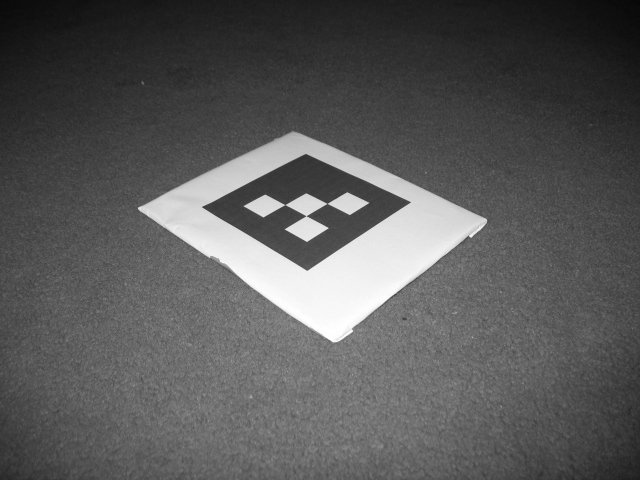
The first step I do is searching for glyphs in an image. This is an example of one of those glyphs:

For a human it is no problem to locate the glyphs, but for a computer it is quite a challenge.

These are the steps I’m planning to make:

1. Downscale the image to a smaller picture (for speed)

2. Convert the picture to an array of pixels

3. Greyscale the image using the pixel array

4. Run some Edge detection algorithm to help me find the blobs

5. examine the blobs and look which ones look quadrangular

6. Check if they are an actual glyph

7. calculate its position in 3D space

8. use OpenGL to show an object on the glyph

And all of this as fast as possible!

I’ll keep you posted.

Some of my projects at One-Two

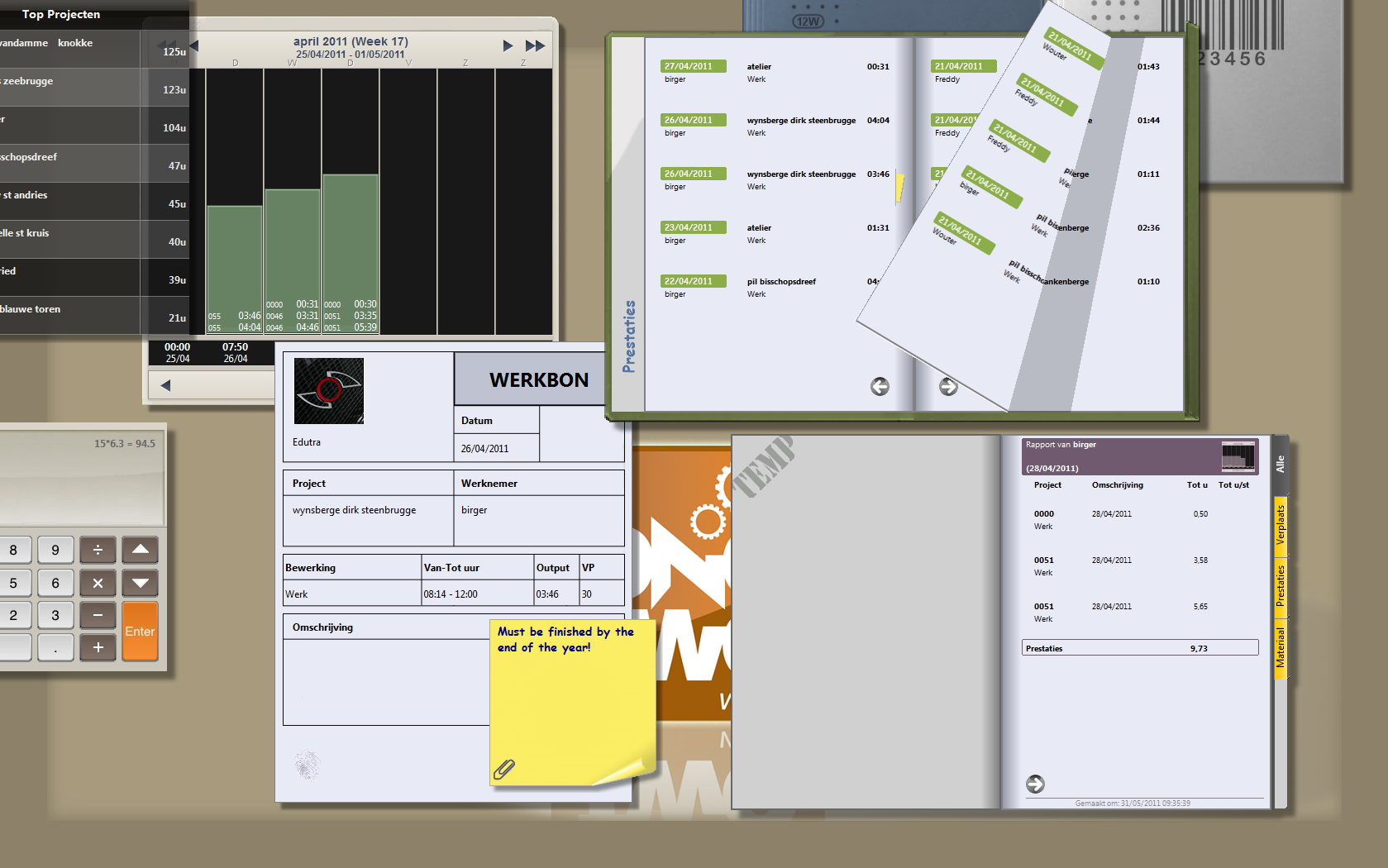
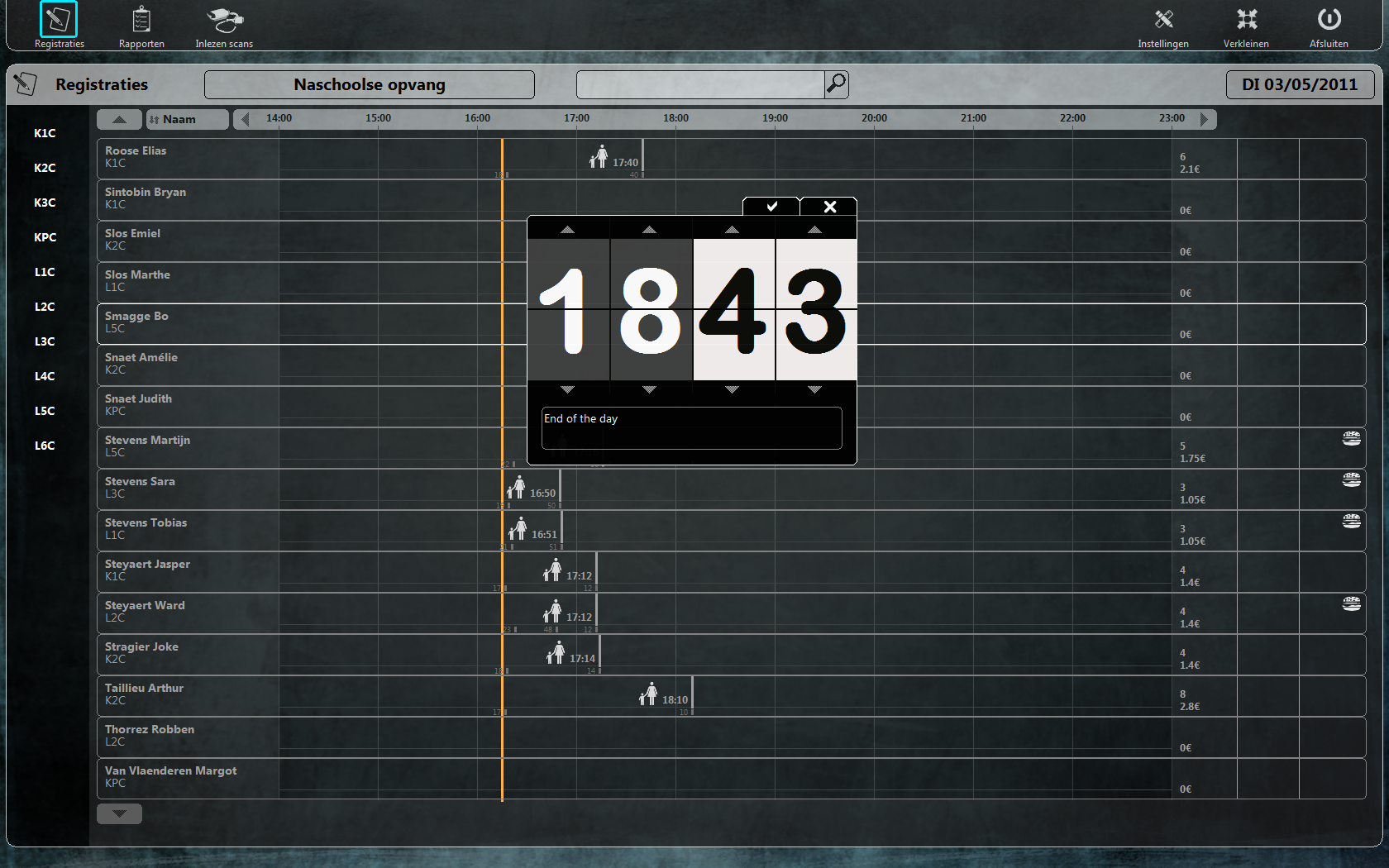
I’ll post some of  my projects I made at One-Two (http://www.one-two.com). We make Time, Job and tracking programs. As you will see, I love the Canvas!

They are written in RealBasic as this is our main programming language. I’m not very interested it writing ‘normal’ looking programs. I like designing new experimental interfaces to make it very intuitive to work with the software.

So here they come:

12Time: A program to track the time (by using a time clock)

12Work: A Program to track jobs with an alternative GUI (with handheld scanners)

12School: A program to track a school (reception, classes, meals)

Basic4Android: A new easy to use programming language for Android

Don’t let the name fool you! Although being very easy to use, it’s a powerful language. The syntax is very similar to the good old VB6, but when compiled its pure Java. Even more, you can write your own libraries in Java and use them in the IDE.

An excellent feature of B4A is the B4A-Bridge: simply the best way to debug your code line by line fast. Yes, I said debug line by line! You can place break points in your code and read the value of variables. I did mention it looked a lot like VB6, didn’t I 🙂

I’ve written some libraries in java for B4A and they are freely downloadable if you have a license. And why shouldn’t you? You can have B4A Enterprise for the ridiculous sum of $99 USD.

Anyway, definitely worth to check out!

http://www.basic4ppc.com/index.html